> ## Documentation Index
> Fetch the complete documentation index at: https://developers.chatwoot.com/llms.txt
> Use this file to discover all available pages before exploring further.
# Chatwoot Platform APIs
# Chatwoot Platform APIs
The Chatwoot Platform APIs allow you to integrate a conversation management interface into your existing software stack. Installation admins can use these APIs to manage users, accounts, and roles. Additionally, these APIs can be used to sync authentication information from external systems into Chatwoot.
> **Note:** These APIs are available only on `self-hosted` Chatwoot installations.
## Creating a Platform App
To create a platform app, follow these steps:
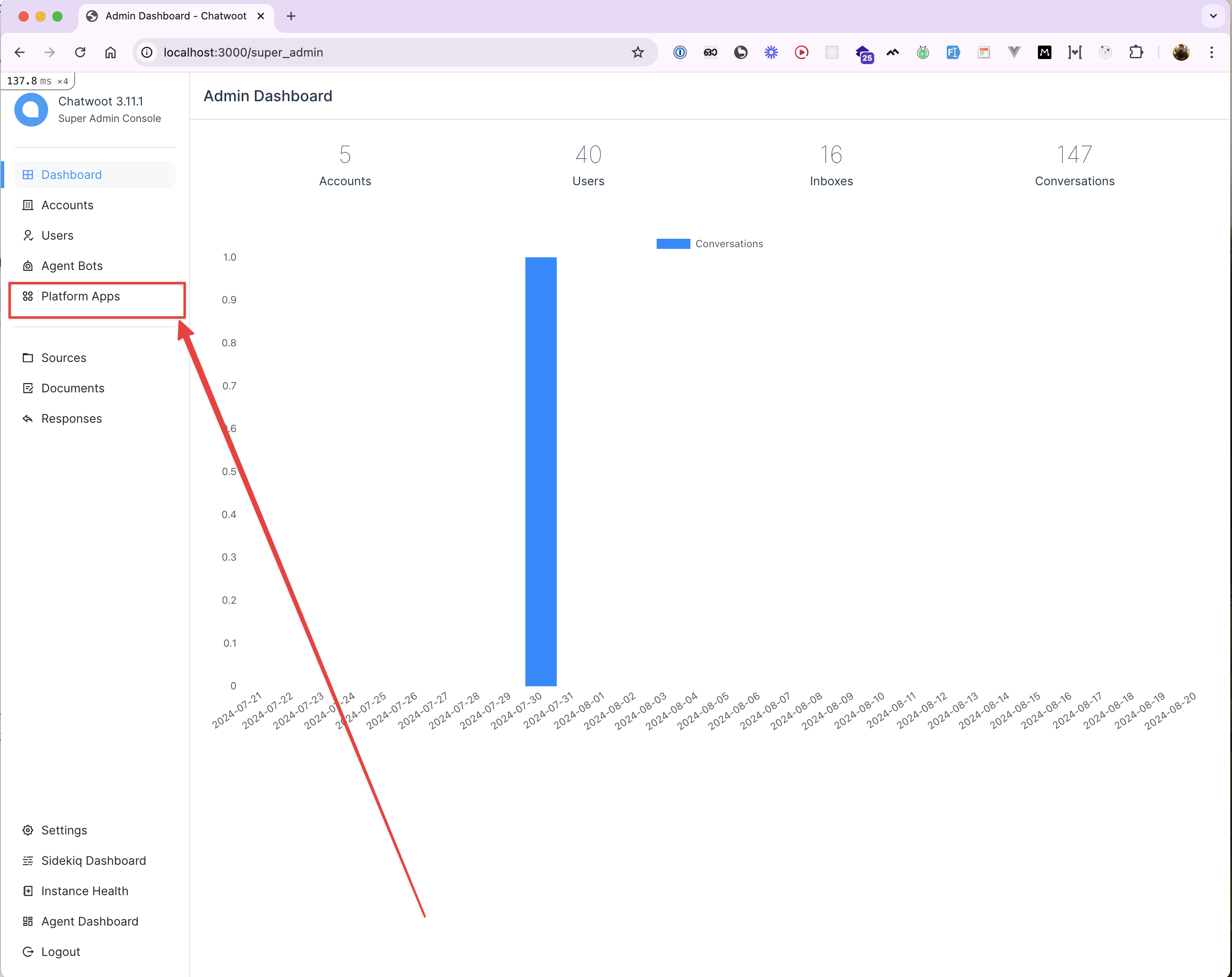
1. Go to the super admin portal and navigate to `super_admin/platform_apps`.
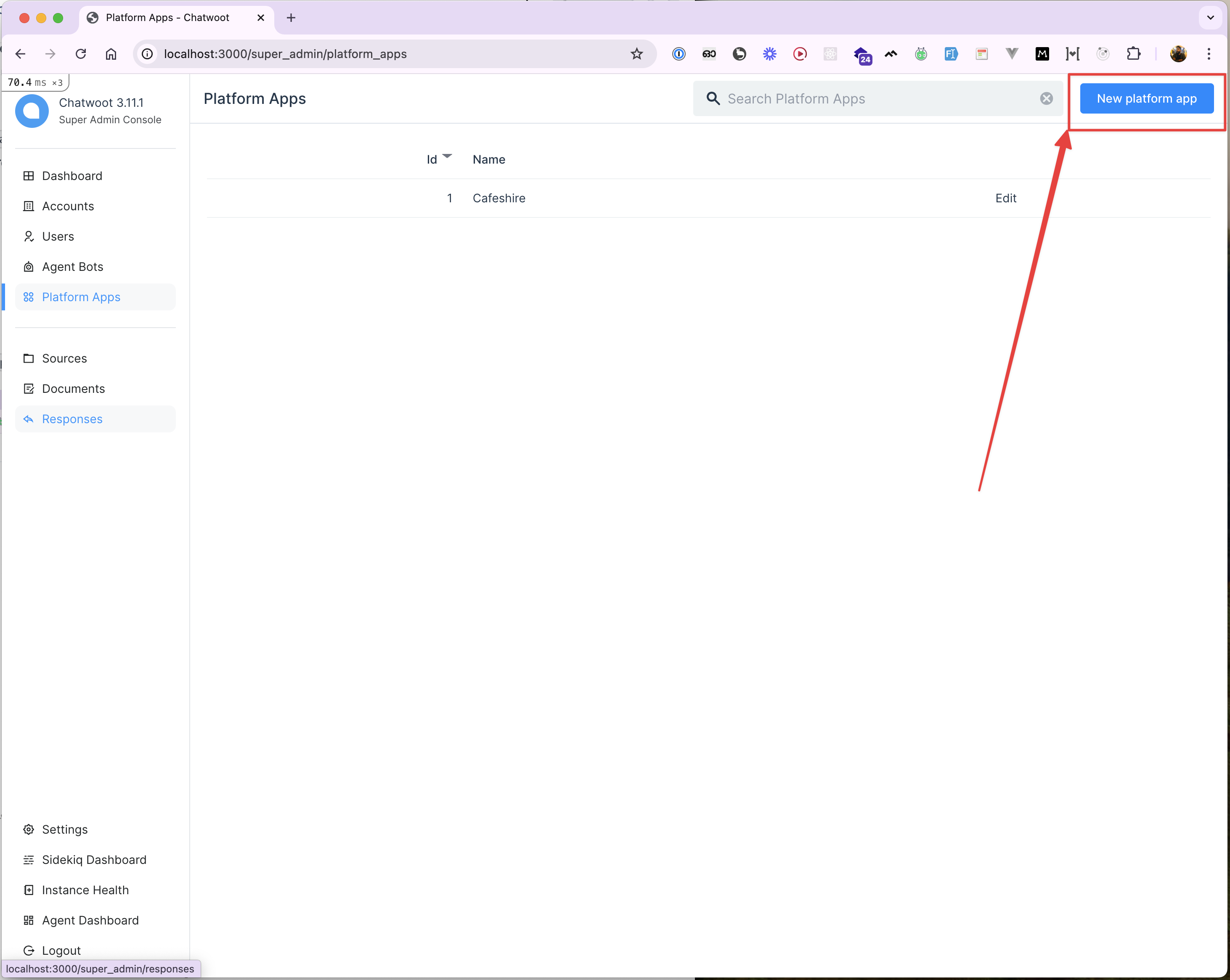
 2. Click on the "New platform app" button.
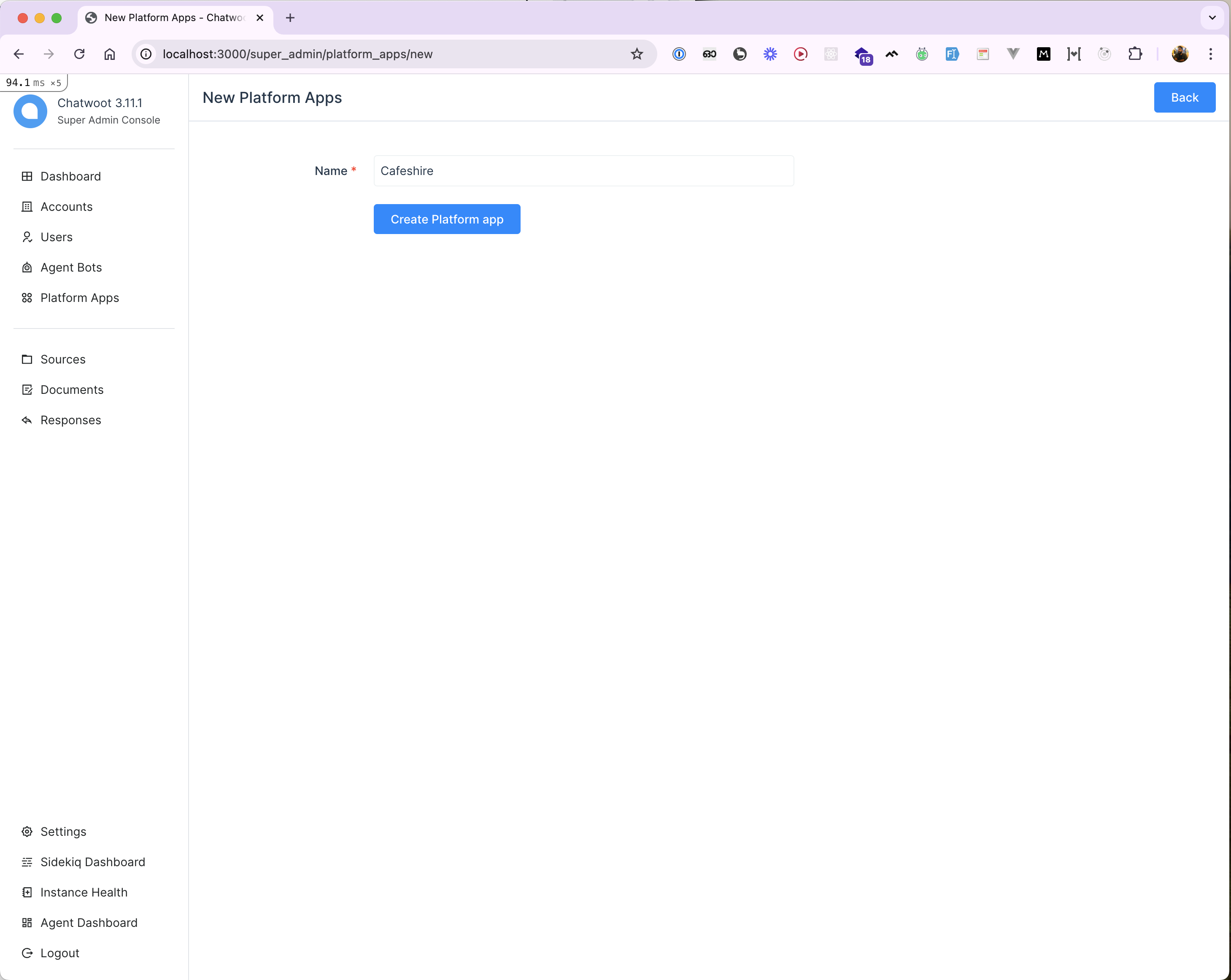
 3. Fill in the platform app name and click the "Create" button.
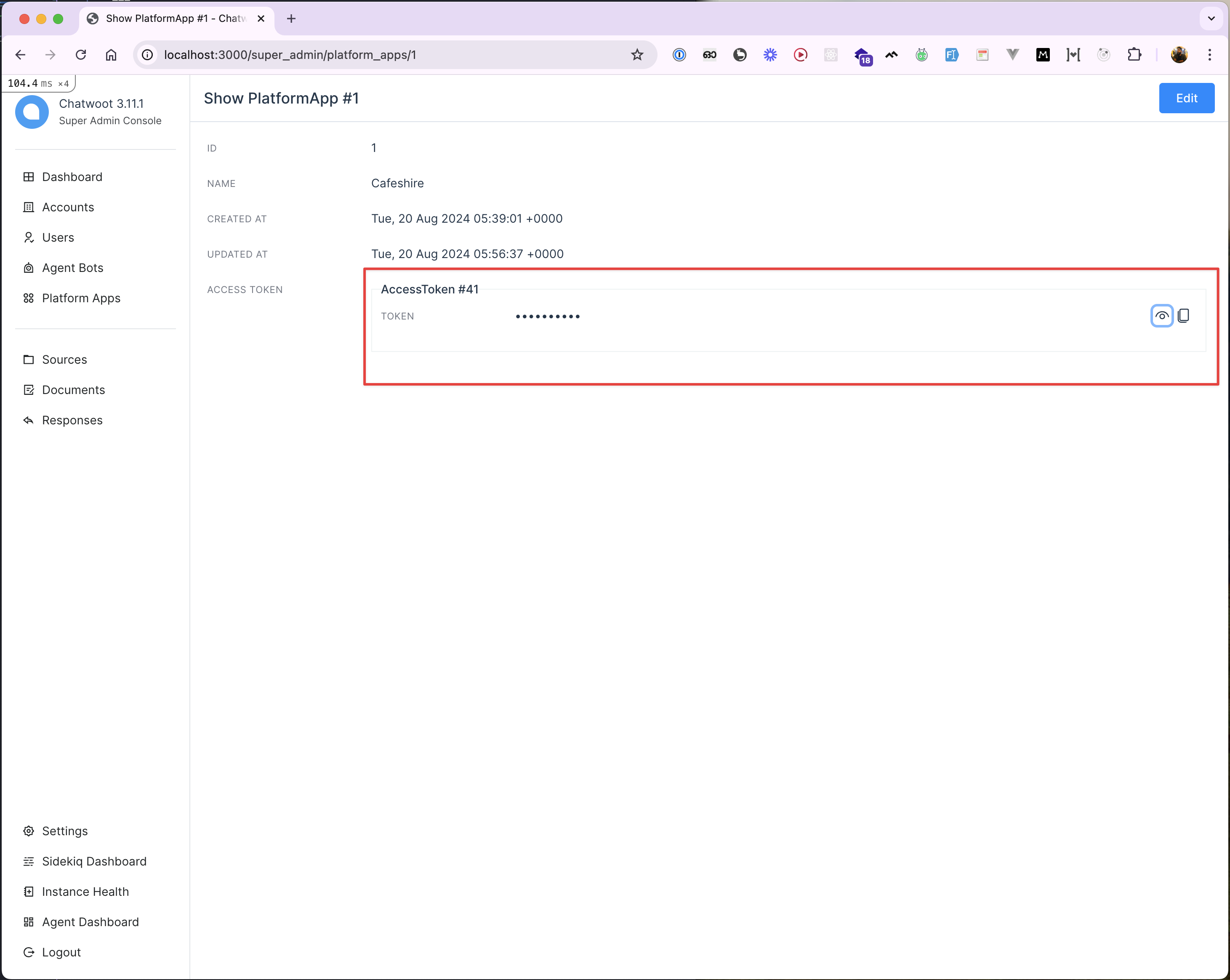
 4. After creating the platform app, open it to view and copy the access token.
 ## Using the Access Token
The `access_token` is required to authenticate all API requests. Please use the Postman collection to test these APIs.
### Testing the APIs
To test the APIs:
1. Copy the access token from the platform app.
2. Use it in the `Authorization` header of your API requests.
Here's an example of creating a user using the API:
## Using the Access Token
The `access_token` is required to authenticate all API requests. Please use the Postman collection to test these APIs.
### Testing the APIs
To test the APIs:
1. Copy the access token from the platform app.
2. Use it in the `Authorization` header of your API requests.
Here's an example of creating a user using the API:
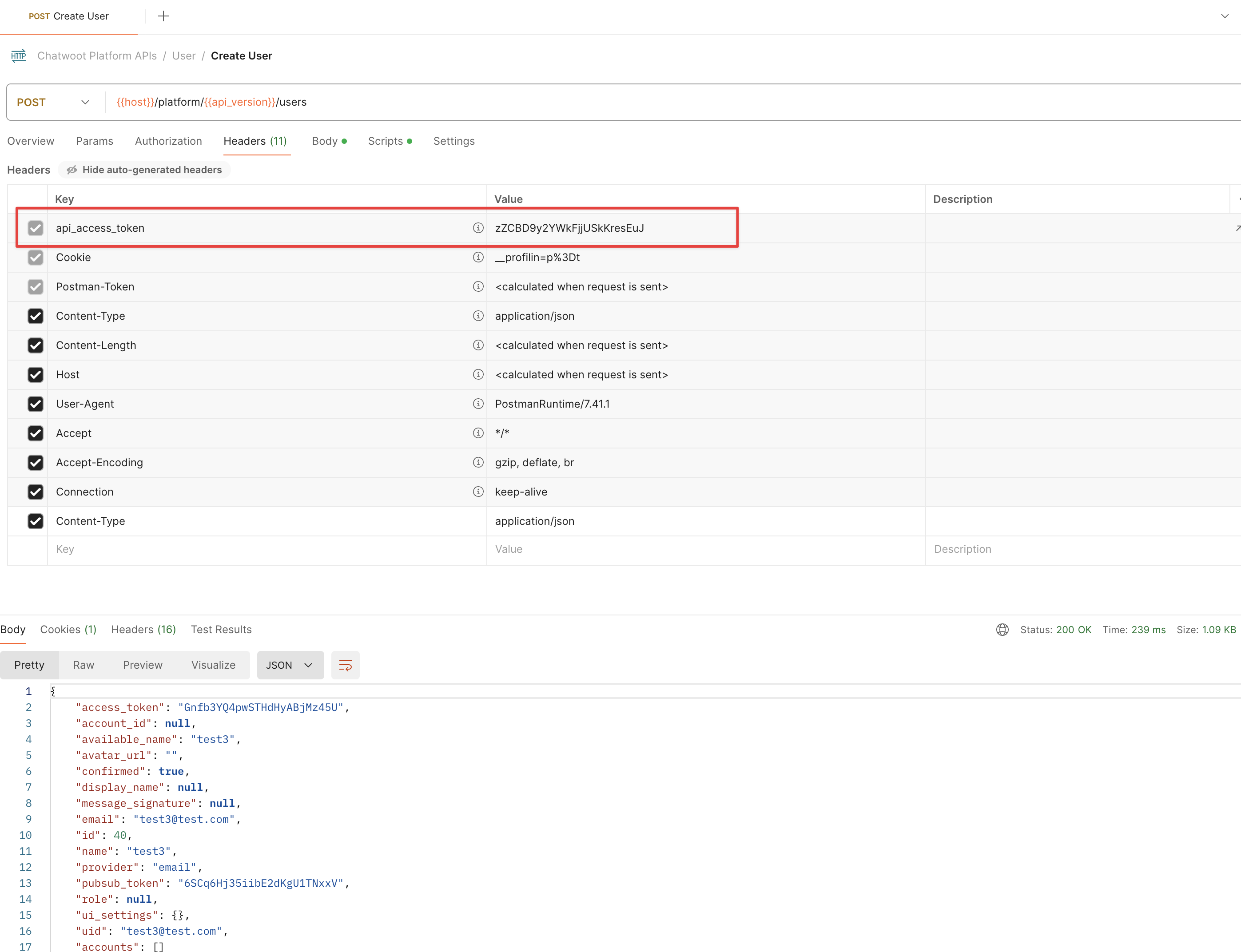 Similarly, you can create `Account` and `Role` entities using the APIs.
## Reference
For more detailed information and to test the APIs, refer to our [Postman Collection](https://www.postman.com/chatwoot/workspace/chatwoot-apis/collection/162770-e5451b69-9f97-489b-b352-4ca7d8d82aff).
Similarly, you can create `Account` and `Role` entities using the APIs.
## Reference
For more detailed information and to test the APIs, refer to our [Postman Collection](https://www.postman.com/chatwoot/workspace/chatwoot-apis/collection/162770-e5451b69-9f97-489b-b352-4ca7d8d82aff).